The 14-Step Engine
Structured micro-decisions eliminate blank-page anxiety and guide you from idea to publish-ready manuscript.
Step 1: Research & Basics
Most authors stare at a blank page for weeks. CoWriter eliminates that paralysis with a structured research form that captures your book's core DNA — topic, target reader, writing tone, genre, and unique angle — in under five minutes. Every field feeds into the AI engine so all subsequent steps are tailored to your specific book.
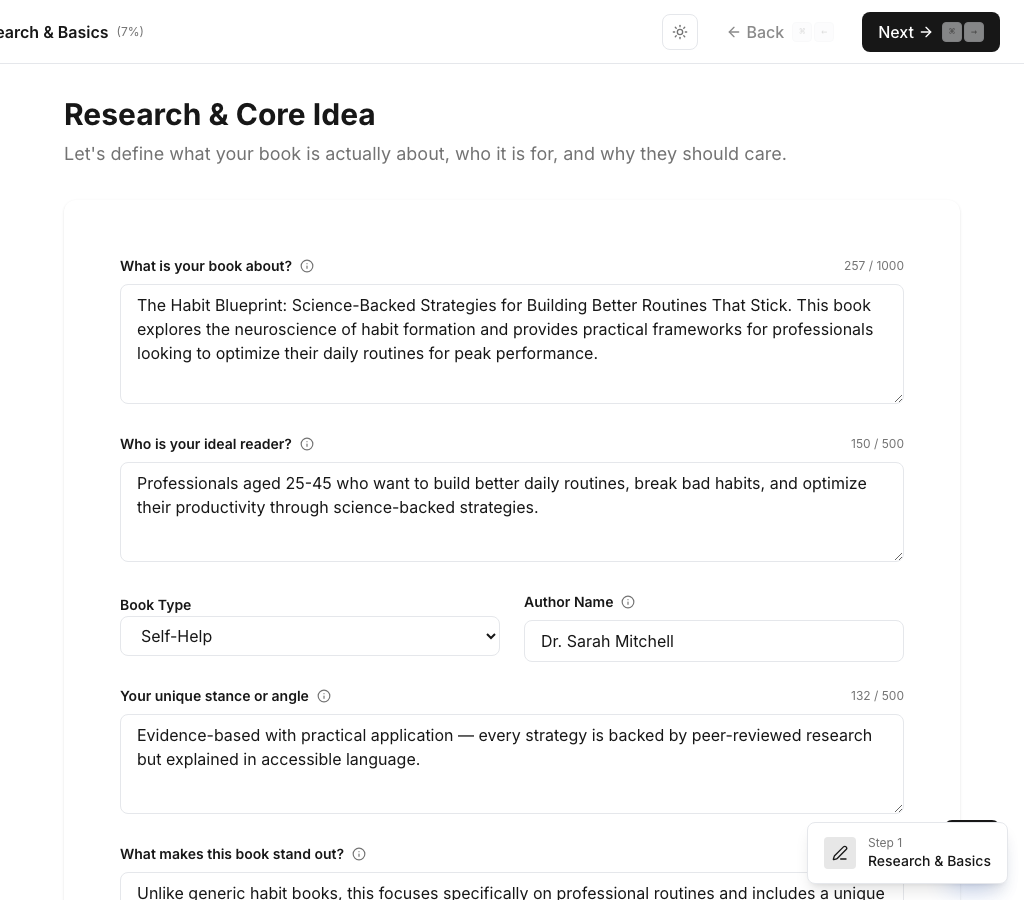
- Structured form eliminates blank-page anxiety
- Choose from 7 book types and 15 genres
- AI uses your inputs to personalize every future step
Step 2: Market Analysis
Publishing a book without market research is like launching a product without studying the competition. CoWriter's AI analyzes top-selling books in your niche — extracting titles, ratings, review counts, pricing, and content descriptions — so you can identify gaps in the market and position your book to stand out.

- AI scrapes and analyzes competitive titles
- See ratings, reviews, and pricing data
- Identify content gaps your book can fill
Step 3: Book Title
Your title is the single most important sales asset on Amazon. A bad title means invisible rankings and zero clicks. CoWriter generates 5-7 keyword-rich title and subtitle combinations, each with a rationale explaining why it works for discoverability and reader appeal.
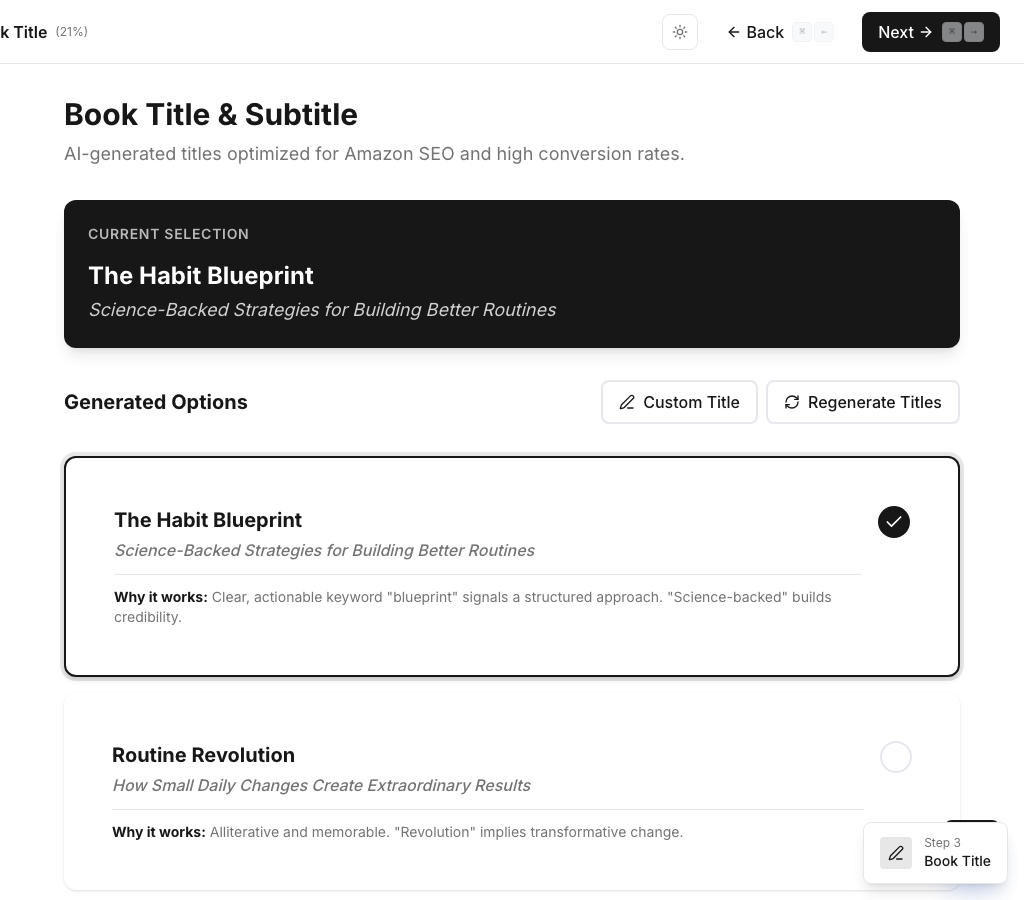
- AI generates 5-7 SEO-optimized title options
- Each title includes keyword rationale
- Select, customize, or regenerate until perfect
Step 4: Upload Resources
Unlike AI tools that work from nothing, CoWriter lets you upload your existing research — PDFs, documents, text files, or paste URLs. The AI ingests your materials and weaves your unique insights into the manuscript, ensuring the book reflects your knowledge, not just generic AI output.
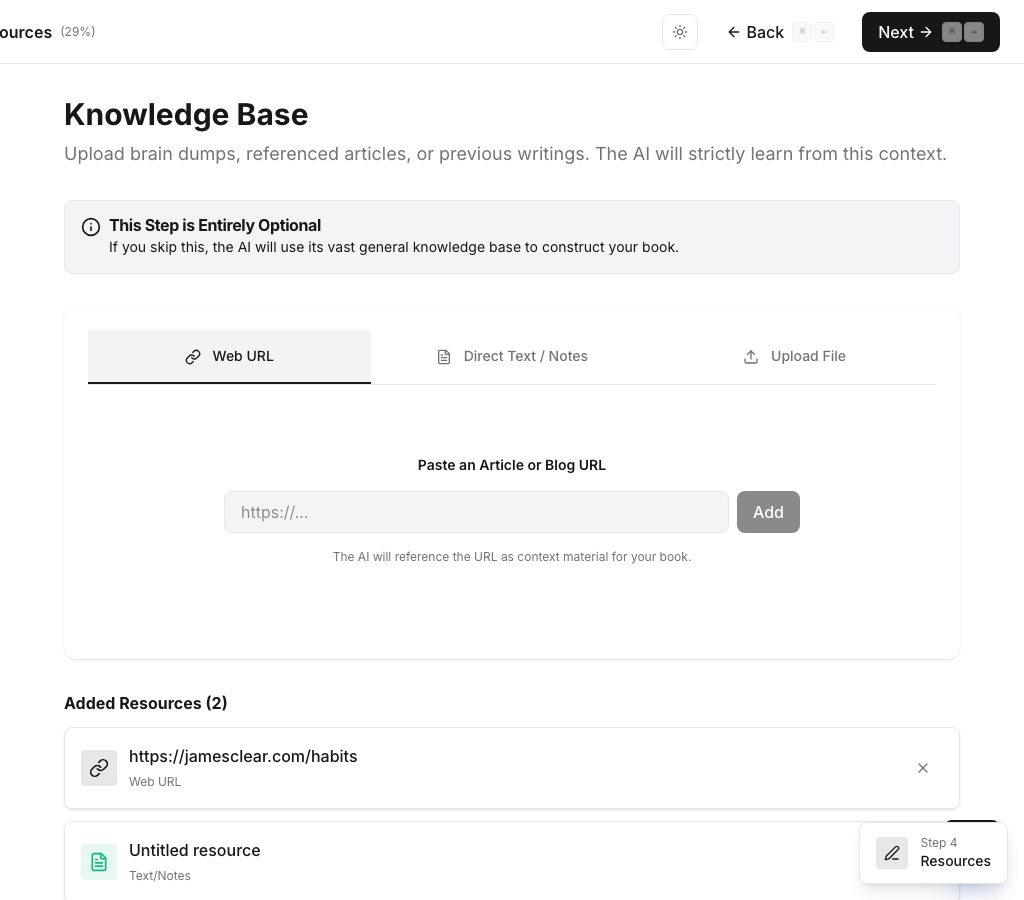
- Upload PDFs, .txt, .md files (up to 5MB)
- Paste URLs for web-based research
- AI extracts and integrates your materials
Step 5: Author Persona
Generic AI writing sounds the same for everyone. CoWriter's Author Persona step lets you define your writing style, list inspirational authors, and provide writing samples. The AI builds a voice DNA profile that ensures every generated sentence sounds like you wrote it — not a bot.
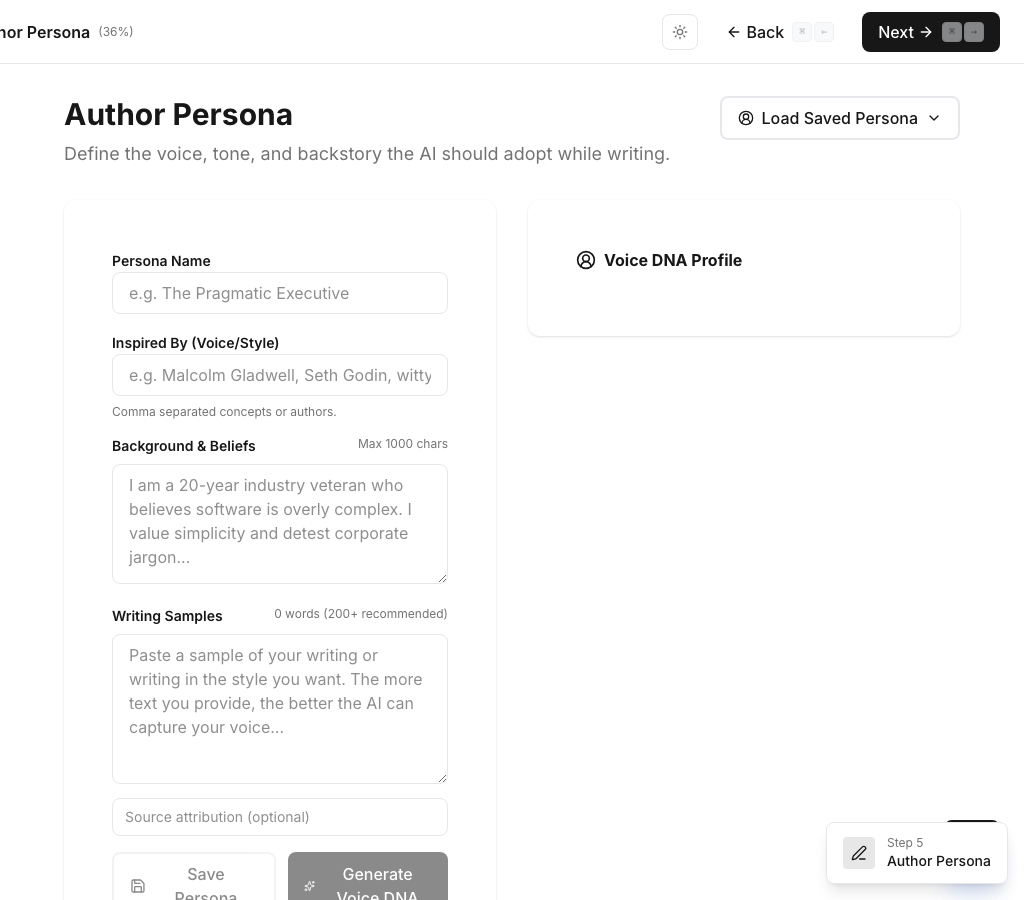
- Define tone, style, and writing influences
- Provide writing samples for voice matching
- AI creates a "Voice DNA" profile for consistency
Step 6: Book Focus
Unfocused manuscripts try to cover everything and end up saying nothing. CoWriter's Book Focus step helps you narrow down exact topics, themes, and differentiators using a tagging system. This ensures your book has a sharp, compelling angle that readers and reviewers will remember.
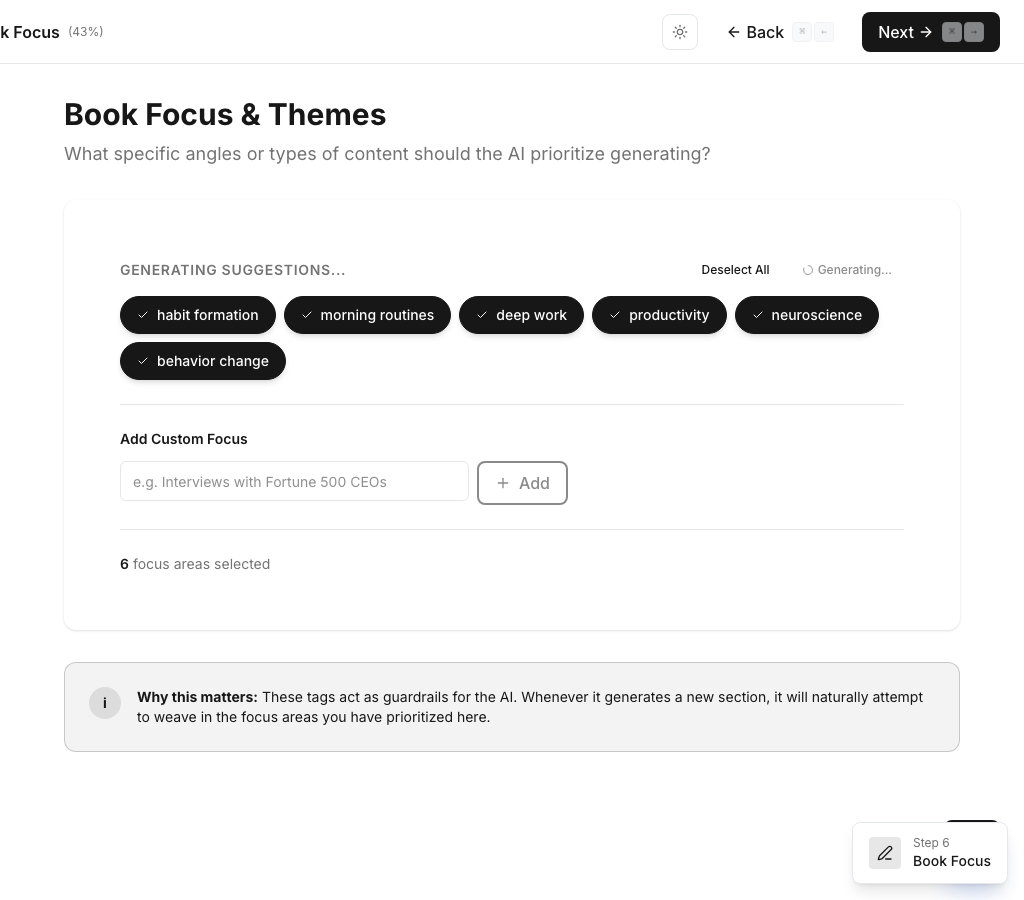
- Tag specific focus topics for your book
- Narrow scope prevents unfocused content
- AI uses focus tags to stay on-topic throughout
Step 7: Book Proposal
Before writing a single chapter, you need clarity on what makes your book worth reading. CoWriter's AI generates a full book proposal — unique selling proposition, key selling points, target audience analysis, and a preliminary table of contents — giving you a publisher-quality pitch deck for your own manuscript.
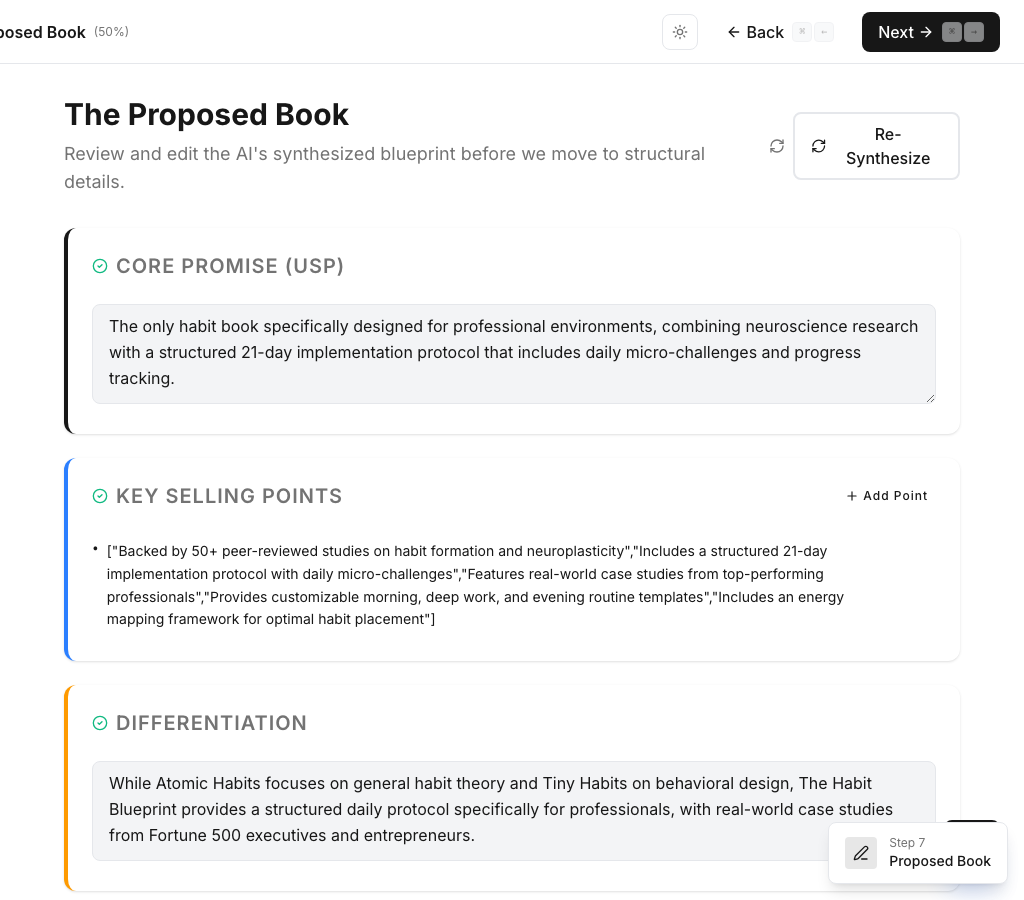
- AI creates a complete book proposal
- Includes USP, selling points, and audience analysis
- Edit individual selling points to refine direction
Step 8: Book Details
Scope creep kills book projects. CoWriter's Details step lets you configure exact specifications — total word count, number of chapters, sections per chapter, words per section, narrative structure, and audience level. The AI enforces these budgets throughout the writing process, so your book hits its targets.
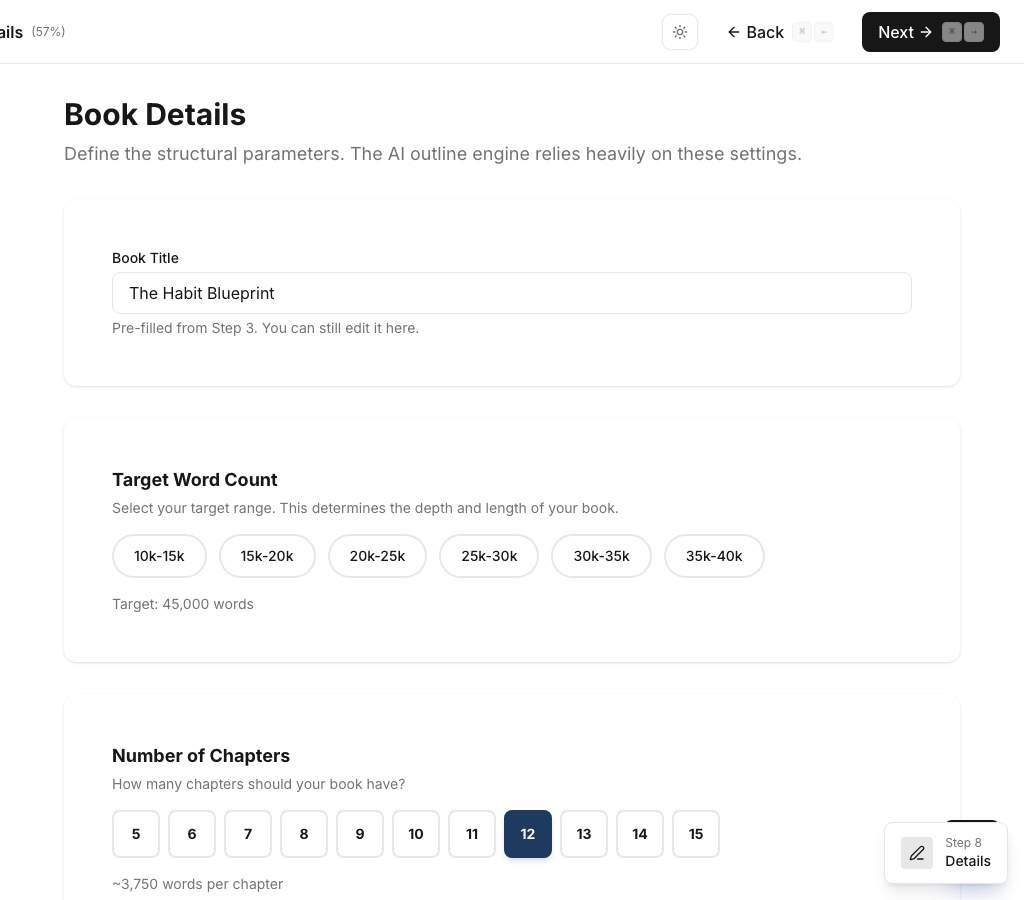
- Set word count, chapters, and section budgets
- Choose narrative structure and audience level
- Word count math cascades automatically
Step 9: Author Biography
Your author bio is the first thing readers check to decide if they trust your expertise. CoWriter generates a professional back-cover biography from your background, education, publications, and achievements — no more staring at an empty "About the Author" section.
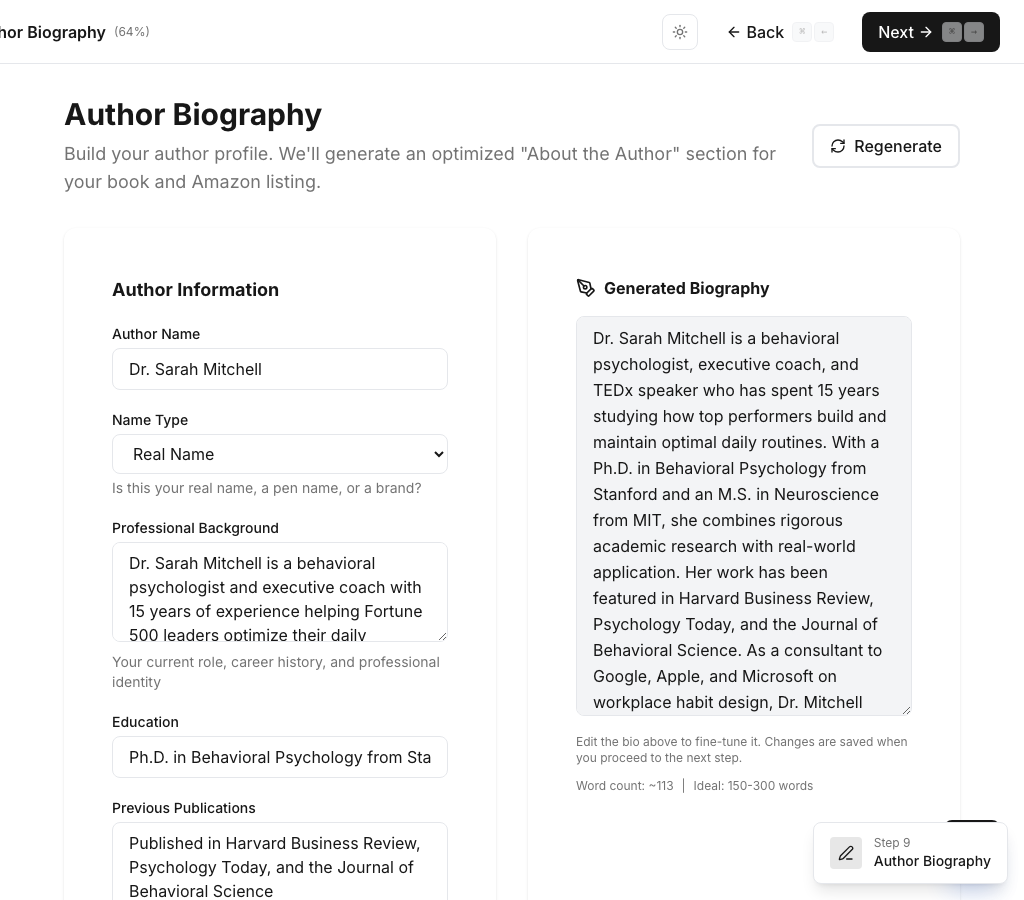
- Input your background and credentials
- AI drafts a professional author bio
- Edit and refine until publication-ready
Step 10: Smart Outline
Flat outlines produce flat books. CoWriter generates a 3-level hierarchical outline — chapters, sections, and subsections — each with precise word count budgets that cascade mathematically. Drag-and-drop to reorder. Red indicators flag overages instantly so your book stays balanced and complete.
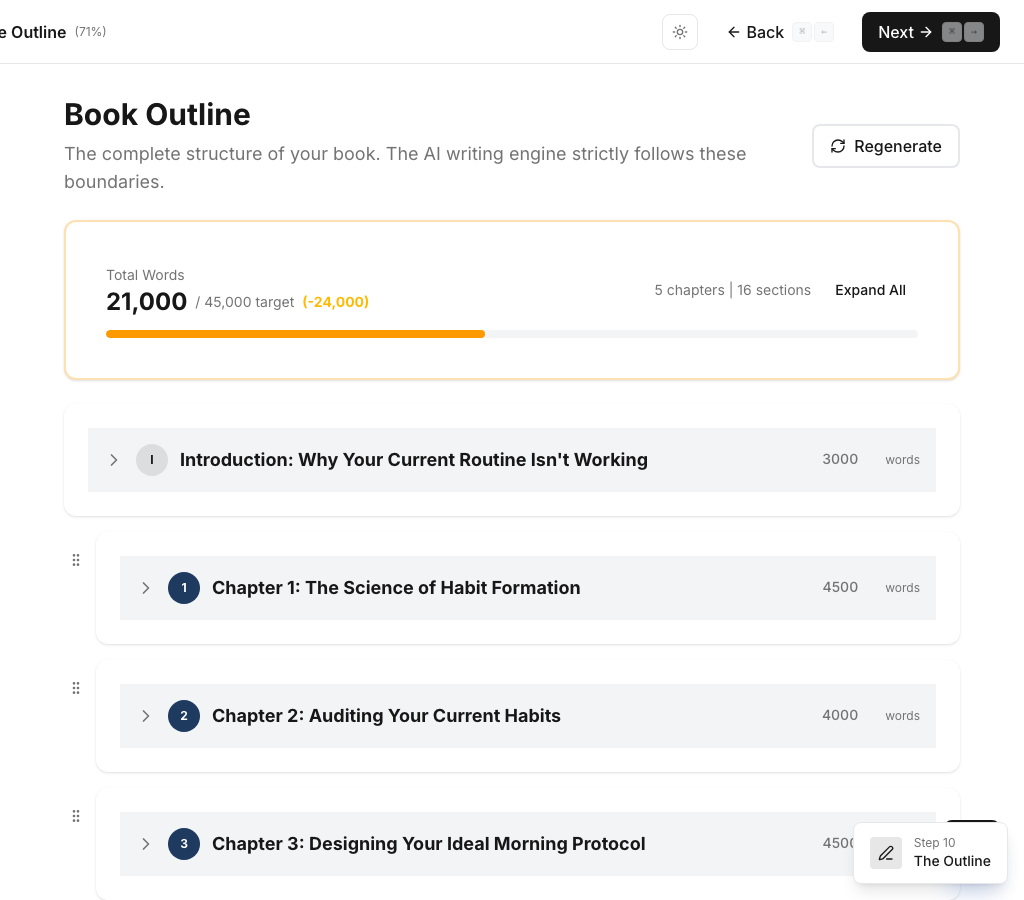
- AI generates 3-level chapter hierarchy
- Drag-and-drop reordering with @dnd-kit
- Cascading word count validation with overage alerts
Step 11: Write Engine
This is where CoWriter fundamentally differs from every competitor. Instead of dumping 50,000 words of generic filler, CoWriter generates your book section by section with precise word count targets. Select any text to invoke one of 12+ inline AI editing agents — elaborate, strengthen, simplify, shift tone, add examples, insert quotes, statistics, calls-to-action, historical facts, and more. A rich TipTap editor with formatting toolbar gives you full control.
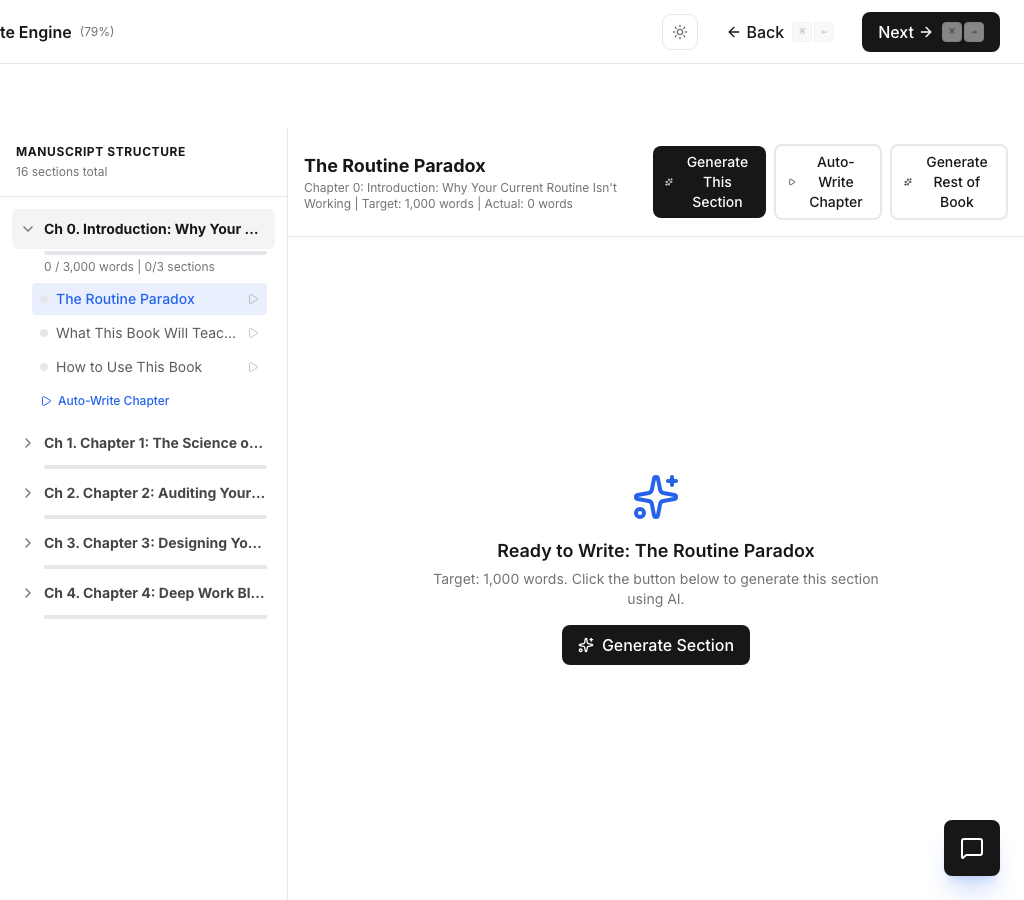
- Section-by-section generation, not bulk dumps
- 12+ inline AI editing agents (select text to invoke)
- TipTap rich text editor with full formatting toolbar
Step 12: SEO Description
A great book with a poor Amazon listing is invisible. CoWriter generates a keyword-optimized book description designed for Amazon's search algorithm, complete with a keyword density analyzer that shows visual bars for each target keyword and flags missing terms. Your listing is SEO-ready before you publish.
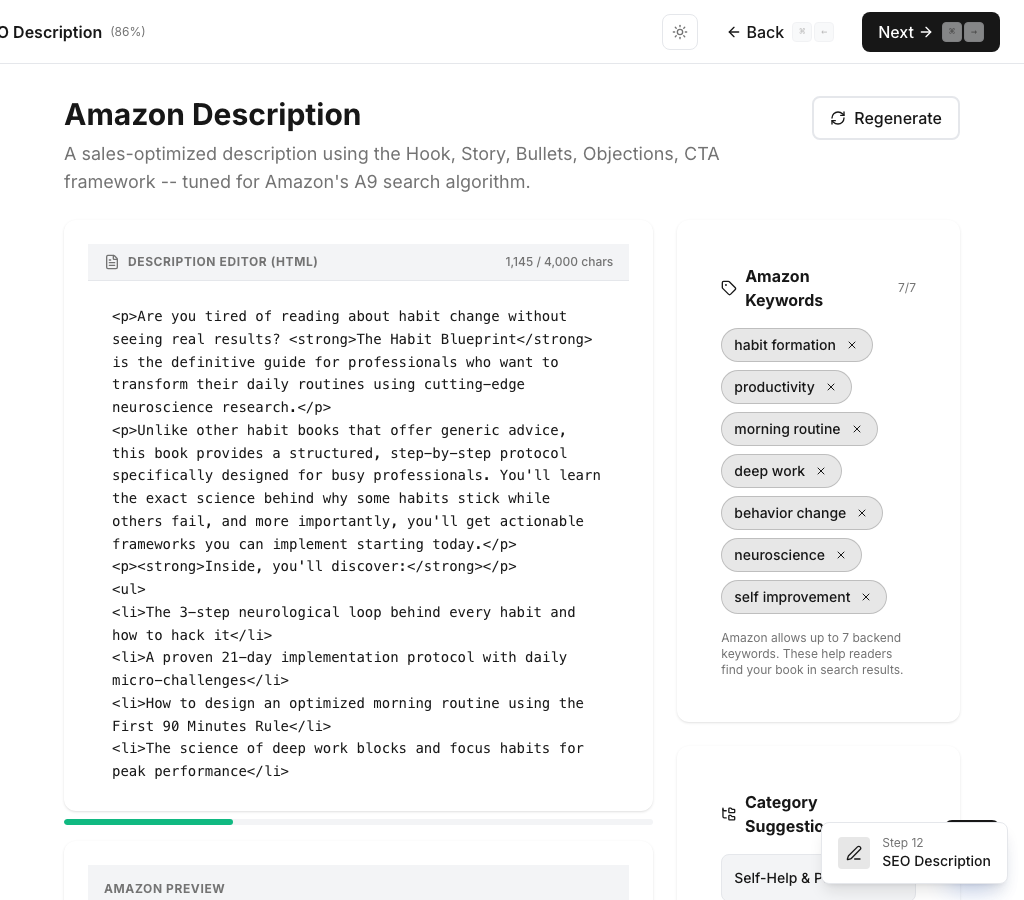
- AI generates Amazon-optimized description
- Visual keyword density analyzer
- Missing keyword warnings for SEO gaps
Step 13: Book Cover
Professional book cover design typically costs $200-500. CoWriter generates cover art using both GPT Image 1.5 and Gemini Nano Banana 2 side-by-side, giving you options from two different AI providers in seconds. A separate typography overlay ensures crisp, readable text. Title character count warnings keep your design clean.
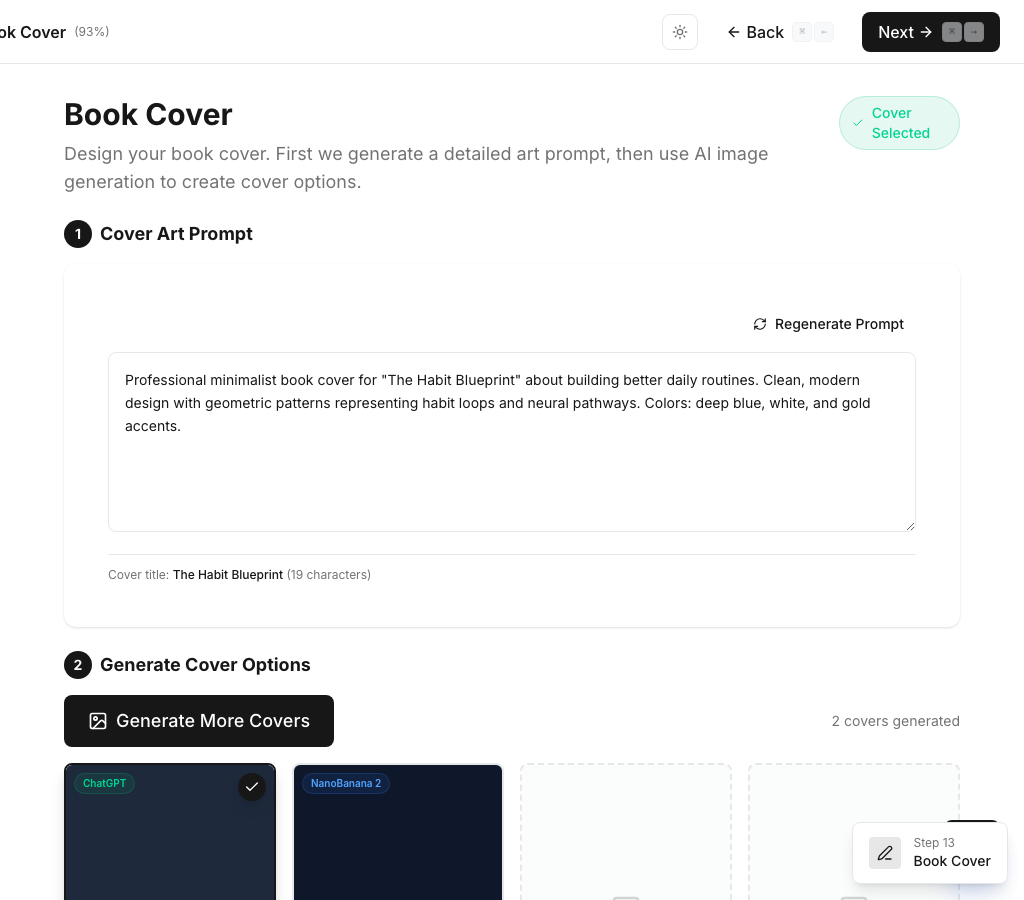
- GPT Image 1.5 + Gemini Nano Banana 2 side-by-side generation
- Typography overlay for crisp text placement
- Multiple style presets and character count warnings
Step 14: Export & Translate
CoWriter produces pixel-perfect PDF and DOCX exports with identical pagination — chapters start on new pages, no orphaned headers, KDP-ready formatting. Plus, translate your finished book into 9 languages (Spanish, French, German, Portuguese, Italian, Dutch, Japanese, Korean, Chinese) powered by Claude AI, preserving your voice and formatting.
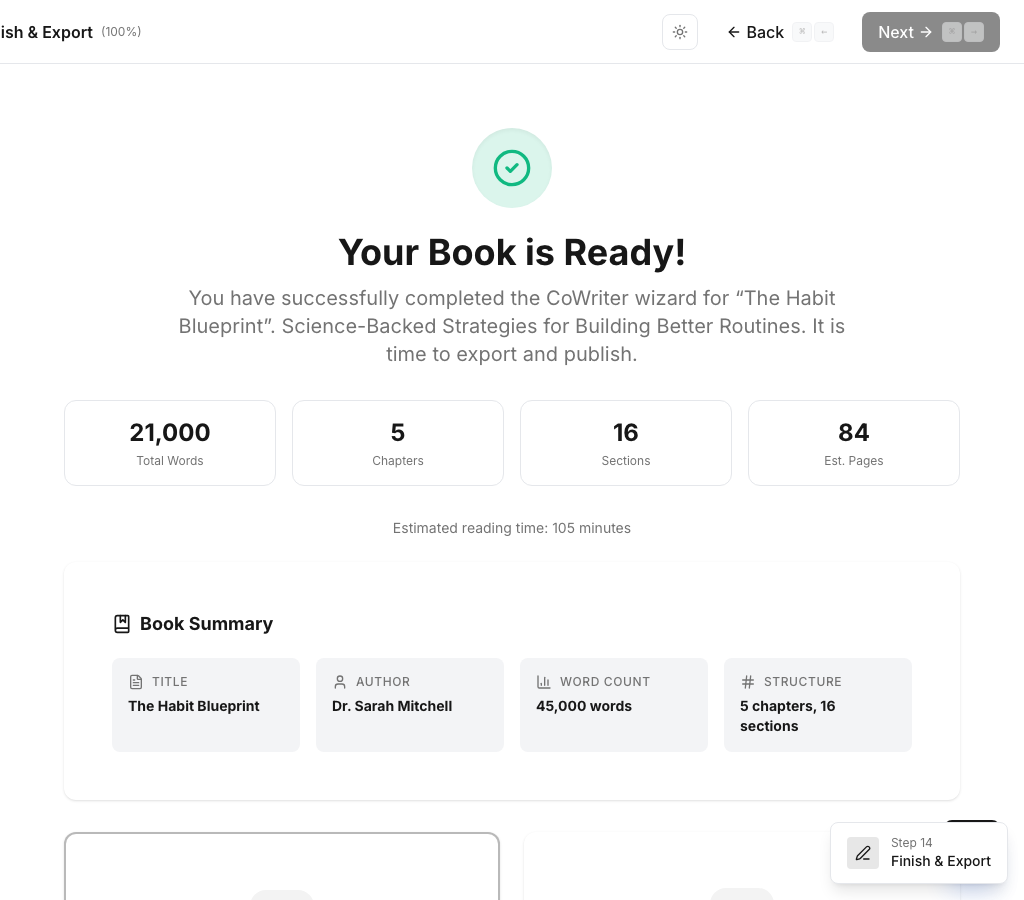
- PDF + DOCX with identical, KDP-ready formatting
- Translation to 9 languages preserving voice DNA
- Statistics dashboard: word count, pages, reading time